Workforce Attendance and PTO Management for Small Business Owners

October 29, 2026 · 7 reads
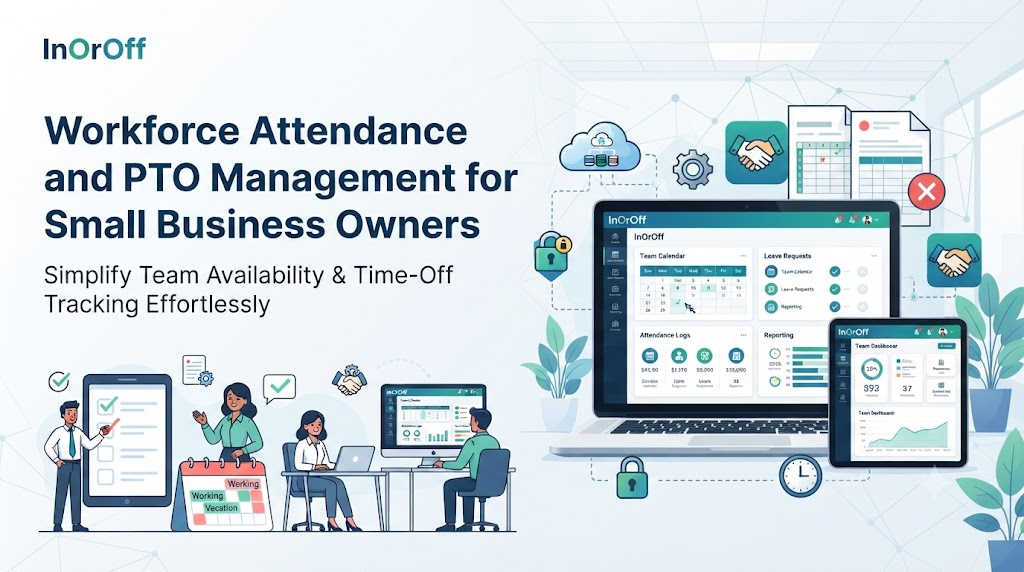
It is Sunday night. A shop owner sits at the kitchen table with three files open. One lists who came in and when. One lists who asked for time off. One is a half-finished draft for Monday’s payroll review. Two of the files disagree about Thursday, and the owner cannot remember who approved what.
Many small businesses know this evening well. Attendance and leave records start as a simple chore. As the team grows, they become the base for pay, planning, and fairness. When the records are messy, every one of those suffers.
This article looks at InOrOff, a cloud-based platform for attendance and leave. It explains what the platform covers, where its limits are, and what a business still has to do for itself. Each section opens with a short imagined situation to make the idea concrete.
What Is InOrOff?
InOrOff is a cloud-based employee attendance and leave management platform. It is built for small and growing businesses. Its purpose is to keep attendance records, leave tracking, manager approvals, work schedules, and reports in one online workspace.
Going by its description, it covers:
- Daily attendance records, working hours, breaks, and late arrivals.
- Check-ins and check-outs that employees record through a web browser, with server-verified timestamps.
- Leave requests, vacation policies, holiday calendars, leave allowances, and absences.
- Manager review, where leave requests are approved or rejected and attendance corrections are managed.
- Paid time off features such as half-day leave, holiday exclusions, accrual policies, and carry-forward rules.
- An optional setting that limits check-ins and check-outs to approved office networks.
- Monthly attendance summaries, reviewed corrections, and versioned CSV and PDF exports that can support external payroll processing.
- A leave balance view for employees and HR administrators.
In day-to-day HR work, that means one place to check when a question comes up, in place of several files. The platform does not write your policies. It gives them a place to be applied and reviewed.
How Small Gaps in Records Turn Into Bigger Problems
Not every business will see every item below. These are the patterns that show up most often.
Records that follow different habits. One manager writes exact start times. Another notes only “late” or “on time.” A third rounds to the nearest half hour. When the records meet in one report, they do not match, and staff notice the unevenness.
Late arrivals, hours, and breaks that live in memory. A ten-minute delay gets noted for one person and skipped for another. By month-end, nobody can rebuild what really happened.
Leave requests with no clear status. An employee asks by message and gets a quick “ok.” Was that approval or just acknowledgment? Weeks later, the answer depends on who is asked.
Balances that quietly stray. Each manual edit is a chance to slip. A half-day gets entered as a full day. A public holiday is charged as leave. The number no longer matches the policy.
Month-end that eats an evening. Payroll review needs hours, approved leave, and corrections together. If they sit in separate files, someone has to line them up by hand.
Corrections with no trail. A missing check-out is fixed, but nobody recorded who fixed it or why. Later, an odd figure has no explanation.
Staff and managers working blind. Employees ask HR where they stand. Managers ask who will be away. The same questions come back every week.
Software can ease this kind of friction. It cannot promise identical results for every business.
A Closer Look at How InOrOff Works
Keeping Daily Attendance in One Place
Picture a bakery with early, middle, and late shifts. The owner wants one view of who worked which shift, how long, and who arrived late.
Employee attendance management software provides that view. In InOrOff, attendance records can include working hours, breaks, late arrivals, and check-in and check-out activity. When every entry follows the same pattern, a manager can scan a week and spot a start with no end or a day with nothing logged.
The tool records what happens. It does not decide what is acceptable. The bakery still needs a rule for how late is late, how long the grace period lasts, and what to do when a delivery truck blocks the road. Write those rules down and decide who reviews exceptions.
Making Sense of Leave Requests and Absences
Picture a small pharmacy where two pharmacists cannot be away on the same day. Someone needs to see all requests together before saying yes.
Employee leave management software collects leave requests, vacation policies, holiday calendars, leave allowances, and absences in one central workspace. HR sees the full picture without digging through messages, and employees can tell whether a request is waiting or decided.
The groundwork matters. Which kinds of leave exist? Who is eligible for each? Who approves, and who steps in when that person is away? If these answers change from manager to manager, software will only store the uneven decisions more neatly.
Putting Attendance and Leave Side by Side
Picture a law office where a paralegal’s Friday shows as “absent” in one sheet and “approved leave” in another. Someone has to work out which is right.
An attendance and leave management system keeps both kinds of records together, along with approvals and administrative reports. Approved leave is not mistaken for an unexplained absence, and fewer separate spreadsheets need to be compared line by line.
Even so, the system relies on timely input. A correction left for weeks, or a holiday list that is a year old, will pull the numbers off course. A short weekly check goes a long way.
Choosing Software That Suits a Small Business
Picture a florist with seven employees who wonders whether HR software is meant for bigger companies.
When comparing time and attendance software for small business use, start with your own team. How many people work for you, and are their hours fixed, flexible, or in shifts? Is the tool simple enough that staff will use it without reminders? How are corrections reviewed? What does the monthly report contain, and does it fit what you need? How much of their own record can employees see? How is personal data protected? And what do the subscription plans cost for a team your size?
A longer feature list is not automatically better. Match the tool to the size of your team and the way you work. Prices are not covered in this article, so check InOrOff’s current plans with the vendor.
Logging the Start and End of Work
Picture a garage workshop where mechanics begin at different times. The owner wants a record that does not depend on anyone’s memory.
Employee check in check out software records when each person starts and ends work. In InOrOff, staff record this through a web browser, and the platform adds a server-verified timestamp to each entry. The system sets the time, not the employee, which can make the record more dependable than a handwritten note.
Review is still part of the job. Someone forgets to check in. Two mechanics share one computer. A schedule is unclear, so nobody can say what “on time” means. The description does not mention GPS tracking, biometric checks, or automatic detection of every problem, so plan for human review.
Giving Managers a Clear Way to Say Yes or No
Picture a department lead who gets leave requests by chat, phone, and hallway conversation.
Leave approval workflow software gives each request a path. The employee submits. The manager reviews and approves or rejects. Attendance corrections can follow the same review. Everyone can see whether a request is waiting or settled, and who settled it.
The software does not choose the answer. Managers should treat similar requests the same way and explain a refusal in plain words. A clear process works best when the people in it are consistent.
Handling Paid Time Off Rules
Picture an employee who takes a morning off and wonders why the balance dropped.
PTO tracking software applies a company’s time-off rules to real days. InOrOff supports half-day leave, holiday exclusions, accrual policies, carry-forward rules, and leave balance calculations. A half-day costs half a day. A public holiday inside a vacation does not reduce the balance. Leave earned over time grows at the set pace, and carried-over days stop at the set limit.
All of this follows the settings, and the settings must match the written policy. The policy itself must fit the rules where the business operates. Employment rules differ by location, and each organization writes its own. No single leave policy suits every business.
Allowing Check-Ins Only From the Office
Picture an accounting office where the owner wants check-ins to happen at the workplace.
An office IP attendance system allows check-ins and check-outs only from approved office networks. In InOrOff, this is an optional feature. It works without biometric devices and without continuous location tracking. A check-in from an approved network is accepted, and one from a different network is not.
There are limits. An IP address points to a network, not to the exact place a person is sitting. If the office changes its internet provider, the approved list needs an update. Remote or traveling staff need their own rule, and the business decides whether any exceptions are allowed. No single control can promise to stop every kind of attendance fraud.
If you switch it on, explain to staff what it does and why.
Getting Month-End Records Ready for Payroll
Picture an administrator who needs a clean summary before sending information to an outside payroll provider.
Payroll ready attendance software organizes attendance data so it can be prepared for pay. InOrOff provides monthly attendance summaries, reviewed corrections, and versioned CSV and PDF exports.
An export is a file of records. It is not a payroll run. The description does not say InOrOff calculates wages, taxes, deductions, or salaries, so those steps happen elsewhere. Before a report goes on, someone should read the hours, confirm approved leave is included, look for blank check-ins or check-outs, and make sure all corrections were reviewed.
Letting Employees See Their Own Leave
Picture a new hire planning a trip who does not know how many days are available.
An employee leave balance tracker lets people look for themselves. In InOrOff, employees and HR administrators can see available leave, used leave, pending requests, upcoming approved absences, and upcoming expiry dates. Staff can plan without writing to HR, and managers can see who will soon be away.
The display depends on correct inputs. Accrual settings, carry-forward rules, holiday exclusions, and timely updates all shape the number. If the setup is wrong, the screen will clearly show a wrong figure.
Looking After Employee Data
Picture a small business where a shared folder of attendance sheets is open to everyone.
Attendance and leave records show when people work and when they are away. That is personal information. Give access only to people who need it. Keep a clear process for corrections so changes can be explained. Read an export before sending it on. Collect only what you need to run the workplace.
InOrOff is described as taking a privacy-focused approach, and the description goes no further. It does not name encryption standards, certifications, or legal compliance guarantees. A business with strict needs should ask the vendor for details.
Five Steps to Organize Your Records
This is a general approach for any business. It does not mean InOrOff automates each step.
- Agree on the rules. Write down work schedules, leave types, holidays, and who approves what.
- Set up people and policies. Create employee records and attach the matching attendance and leave rules.
- Tell staff what to do. Show them how to record hours and how to request time off, in a few clear lines.
- Decide when to review. Pick a regular time to look at corrections, approvals, and balances.
- Read before you pay. Go through the monthly report for gaps and odd entries before it is used for payroll preparation.
Problems to Watch For
| Problem | Early warning sign | Habit that helps |
|---|---|---|
| Unclear attendance or leave policies | Managers answer the same question differently | Write short, plain rules |
| Outdated holiday calendar | Balances look off around public holidays | Update the calendar every year |
| Approving leave without checking policy | Exceptions pile up | Check the rule before saying yes |
| Ignoring missing check-ins or check-outs | Blank entries keep appearing | Follow up within a day or two |
| Unreviewed attendance corrections | Nobody can explain changes | Review corrections on a schedule |
| Wrong accrual or carry-forward settings | Many balances are wrong in the same way | Test settings on a few sample employees |
| Sending payroll exports unchecked | Errors reach payroll | Read the data first |
| Records shared too widely | People see details they do not need | Limit access to those with a clear reason |
Clear rules, regular reviews, and careful handling of personal information prevent most of these problems.
A Hypothetical Example From a Small Clinic
Picture a private clinic with twenty staff, including reception, nursing, and support teams. The administrator, Rekha, keeps one spreadsheet for attendance, one for leave requests, and one for the monthly payroll draft. Team leads approve leave by message.
Every month, Rekha lines up the three files by hand. Twice this year, a day of approved leave also appeared as a worked shift, and the payroll draft had to be redone.
Now imagine the clinic moves to one workflow. Staff check in and out through a browser. Leave requests reach the right team lead with a visible status. Balances follow the clinic’s own leave rules, and staff can look at theirs. At month-end, Rekha reads the attendance summary, confirms that corrections were reviewed, and exports a file for the outside payroll provider.
Her work does not disappear. Rules still need setting, and reports still need a careful read. But the records are in one place, approvals leave a trail, and fewer questions reach her desk. That could make the routine easier to manage. How much easier would depend on how the clinic sets things up and keeps up with them.
Common Questions About Attendance and Leave Management
What is a work schedule used for in attendance tracking?
A schedule states when people are expected to work. With that on record, managers can compare real attendance against expectations and spot gaps.
What does “cloud-based” mean for a small business?
It means the software runs online and is used through a web browser, so a business does not install it on its own computers.
How long should attendance records be kept?
That depends on local employment rules and company policy. Check the requirements where your business operates, or ask a qualified adviser.
What happens to unused leave at the end of a period?
It depends on the company’s policy. Some businesses carry days forward and others let them expire. InOrOff supports carry-forward rules and shows upcoming expiry dates.
Can managers change attendance records?
InOrOff supports managing attendance corrections through its review process. The business decides who is allowed to make or approve changes.
How should a business introduce a new attendance system to staff?
Explain why it is being used, show employees how to record hours and request leave, and give them a clear person to ask when something looks wrong.
What does “reviewed corrections” mean in a monthly summary?
The description lists reviewed corrections as part of InOrOff’s monthly records. In practice, it means corrections are part of what an administrator checks before using the data.
Conclusion
Good records protect everyone. Employees get accurate pay and an honest count of their leave. Managers get a clear picture. HR gets numbers it can explain. Clear rules, steady approvals, reviewed corrections, and a careful read before payroll matter more than any one feature. InOrOff aims to give attendance and leave records a single place to live. The care that goes into them is still up to the people who run the business.
Leave a Reply